
POWER BI ADVANCE
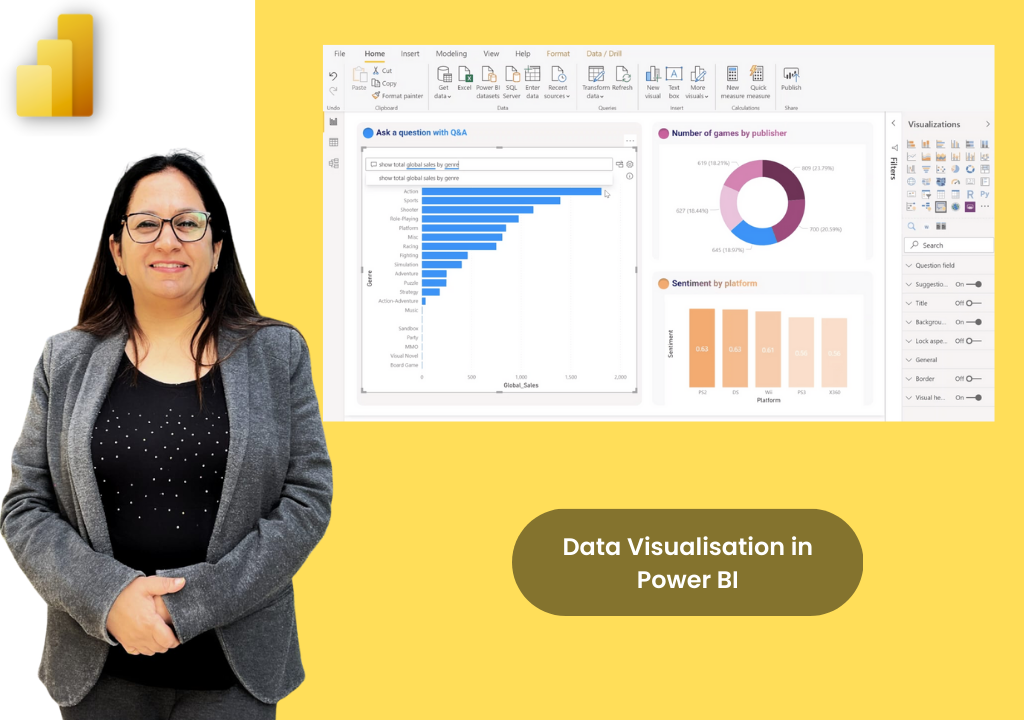
Programme Objective
Deep dive into DAX concepts, syntax, functions, and practical application in Power BI. By the end of this course, participants will understand complex evaluation contexts, build dynamic business indicators, and apply advanced lookup functions to master their data models.
Course Outline
SESSION KICKOFF & DAX BASICS
- Recap of Power BI basics & Objective of today's session (DAX-focused)
- Why DAX is important & Where it is used
- Calculated Columns vs Measures vs Calculated Tables
- Understanding where to use what in the model
DAX SYNTAX & EVALUATION CONTEXT
- Formula bar, referencing, and Implicit vs Explicit calculations
- Data types: Number, Text, Date, Boolean
- Row Context vs Filter Context (with table visual examples)
- Context transition via CALCULATE function
LOOKUP FUNCTIONS & BUSINESS SCENARIOS
- Using RELATED() and RELATEDTABLE() in star schemas
- Table relationship troubleshooting
- Write DAX formulas for real business scenarios
- Dynamic flags, rankings, KPIs, categorization & Nesting functions
CAPSTONE PROJECT & WRAP-UP
- Solve a scenario using all DAX topics & Create visuals
- Peer review & Trainer feedback session
- Tips for DAX efficiency & Troubleshooting common errors
- Defining the learning path ahead
Course Details
Advanced training specifically tailored for business intelligence professionals.
Duration
8 Hours (1 Day)
Delivery Format
Target Audience
Get Pricing
Why Upwise?
Expert Trainer
Learn directly from Ritu Arora, a Microsoft Certified Trainer.
Capstone Project
Solve a real-world scenario using all DAX topics and create rich visuals.
Practical Delivery
Instructor-led training focused on applied business scenarios and troubleshooting.
Target Audience
Specifically designed for participants already familiar with Power BI basics.
DAX Efficiency
Learn advanced tips for DAX efficiency and nesting functions.
Prerequisites
Understanding of foundational Power BI concepts is required.
What You Will Gain
Advanced DAX Syntax
Master formula referencing, data types, and structural rules in DAX.
Context Mastery
Understand the core difference between row context and filter context.
Lookup Functions
Seamlessly navigate star schemas using RELATED() and RELATEDTABLE().
Dynamic KPIs
Write DAX formulas to create dynamic flags, rankings, and categorizations.
Error Troubleshooting
Learn how to resolve common DAX errors and table relationship issues.
Strategic Implementation
Know exactly when to use calculated columns vs measures vs calculated tables.

Meet Our Trainer
Ritu Arora is a corporate trainer with 20+ years of experience, having trained over 100,000 professionals across 2,500+ organizations. She also spent 11 years at the Abu Dhabi National Oil Company, delivering Microsoft Office training in international corporate environments.
She is an expert in Advanced Excel and PowerPoint, author of Advance Excel Guide and Mastering Advanced Excel with ChatGPT Integration, and collaborates with CII and Sumitomo Mitsui Banking Corporation to provide advanced Microsoft Office training.
What Our Learners Say
Discover how professionals and organizations have transformed their skills and achieved remarkable results with Upwise.
"Really appreciate Ritu ji for conducting the corporate MS excel session. Attended both Intermediate and Advanced class, and learnt advanced features of Excel including Macro which was quite helpful for the work. Your Kind and patient guidance definitely accelerated the learning."

Trusted by teams at:



Ready to Master Power BI Advance?
Transform your Power BI Advance skills with hands-on projects, real-world case studies, and expert-led training.